

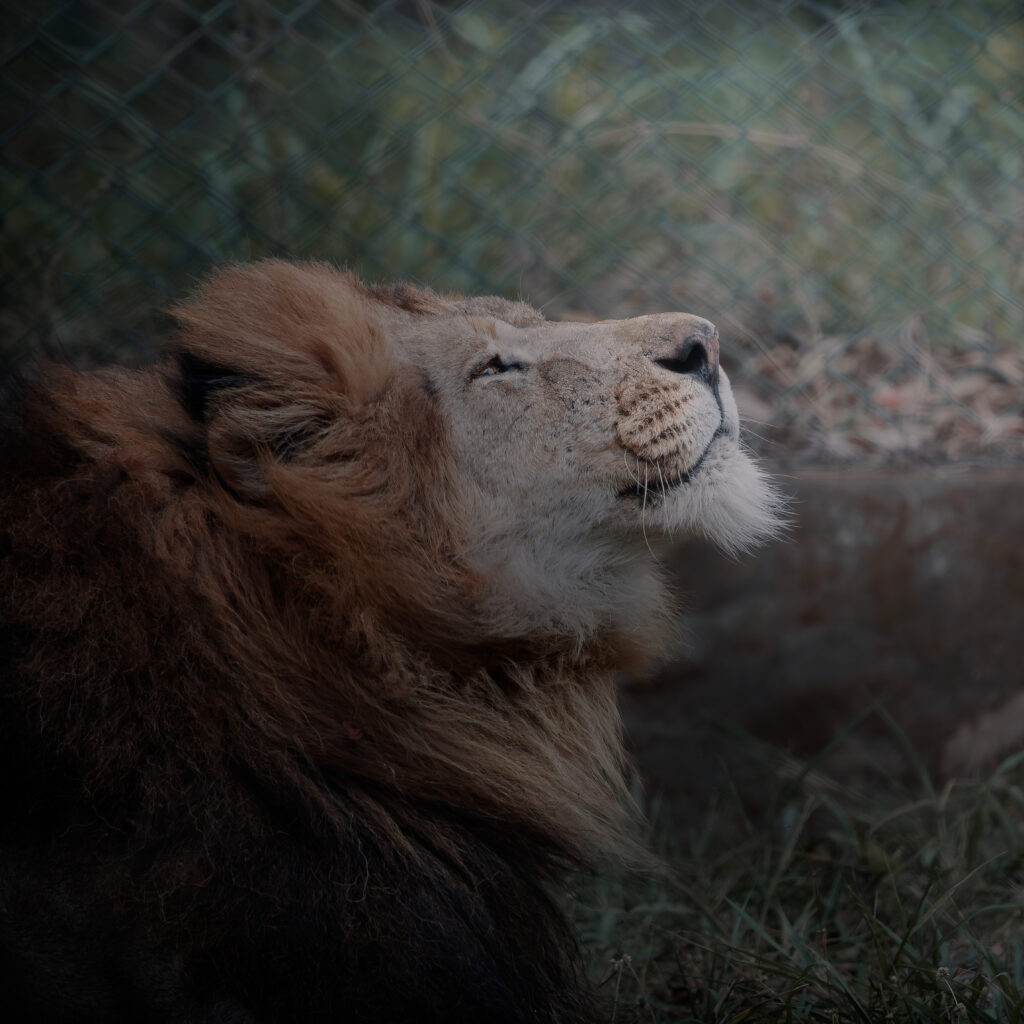
f/6.3 1/1000s ISO 3200 600mm
A Five Minute Opportunity
There are some photographs that take hours of planning.
And then there are photographs that happen in just a few seconds — but stay in your memory forever.
This lion photograph was captured during a bus safari at Bannerghatta Biological Park. It was the fourth photo I uploaded from this safari experience, and easily one of the most challenging wildlife frames I have captured so far.
We had only a five minute stop during the safari. Nobody was allowed to get down from the bus, and photographers had to work with whatever angle they could find through the windows. I managed to position myself near a small opening close to the driver’s seat, hoping for a clear shot before the bus started moving again.
The Gear Behind the Shot
For this safari, I carried my trusted Sony Alpha 7 IV paired with the powerful Sony FE 200-600mm F5.6-6.3 G OSS.
The 200 to 600mm lens helped me isolate the lion beautifully even from inside the crowded safari bus. Wildlife photography often looks peaceful in finished images, but the reality can be chaotic — vibrations from the vehicle, reflections from the glass, limited movement, and only a few seconds to frame the subject correctly.
At one point, the lion lifted his face slightly toward the wind, and the light softly touched his mane. That was the moment I knew I had the shot.
Capturing the Mood
What made this image special to me was not action or aggression, but silence.
The lion looked calm, almost lost in his own world, while people around the bus were excitedly trying to photograph him. Instead of roaring or walking dramatically, he simply sat there with a peaceful yet powerful expression.
That stillness created the mood of the image.
The dark background, soft natural light, and flowing mane gave the portrait a cinematic feel. For a few seconds, it felt like the entire safari paused just for this frame.
Editing the Photo in Lightroom
The original RAW image looked good, but I wanted to enhance the atmosphere while keeping the lion natural and realistic.
I started editing the image in Adobe Lightroom Classic.
Using the Mask Tool in Lightroom, I carefully selected the lion separately from the background. I slightly increased:
Exposure
Texture
Clarity
Sharpness around the eyes and mane
I also reduced highlights and adjusted shadows to preserve detail in the fur without making the image look artificial.
To create the moody wildlife look, I darkened the background slightly using an inverted mask. This helped the lion stand out naturally while maintaining the dramatic atmosphere of the frame.
Color grading was kept subtle because I wanted the portrait to feel realistic rather than overly edited.
Final Touches in Photoshop
After Lightroom, I imported the image into Adobe Photoshop for final refinements.
Using the Brush Tool along with Exposure and Brightness adjustment layers, I selectively enhanced parts of the image:
Brightened the eyes slightly to add life
Softly enhanced the highlights on the mane
Darkened distracting areas in the background
Added subtle depth around the face
These adjustments were done very carefully with low brush opacity to maintain a natural wildlife look.
The goal was not to heavily manipulate the image, but to guide the viewer’s attention toward the lion’s expression.